Opencode
Opencode is a GitLab-based page for projects on which IT4Innovations participates.
Who Can Access Opencode
IT4Innovations account is not required, it is possible to access through B2ACCESS.
Sign in Through B2ACCESS
First, we need to verify your identity:
-
Sign in with your organization B2ACCESS; the page requests a valid personal certificate (e.g. GEANT). Accounts with “Low” level of assurance are not granted access to IT4I zone.
-
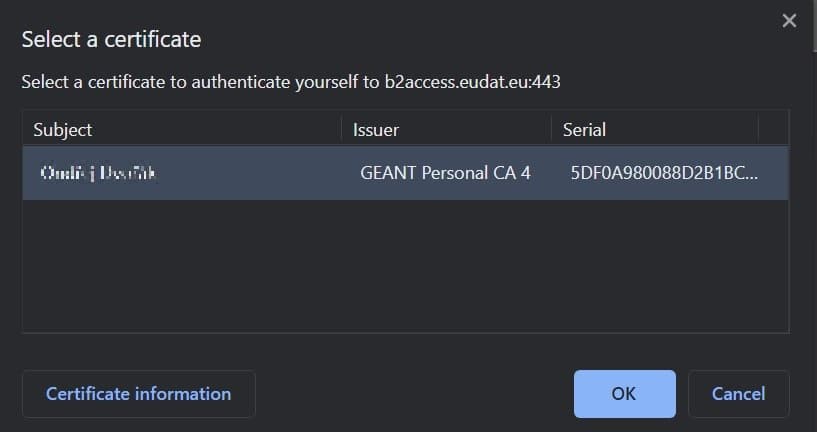
Confirm your certificate in the browser:
-
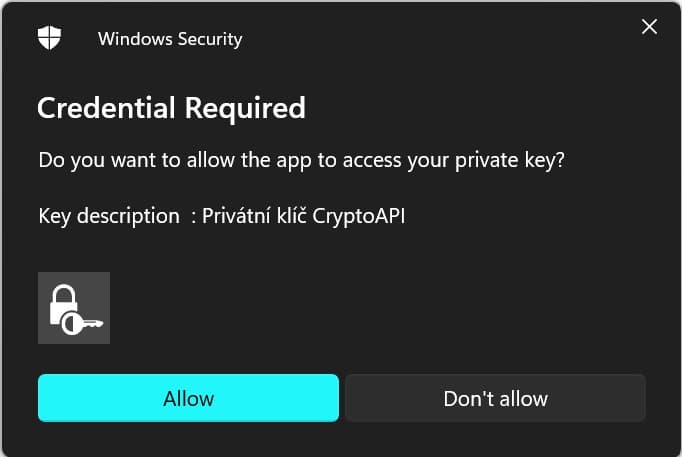
Confirm your certificate in the OS (Windows):
-
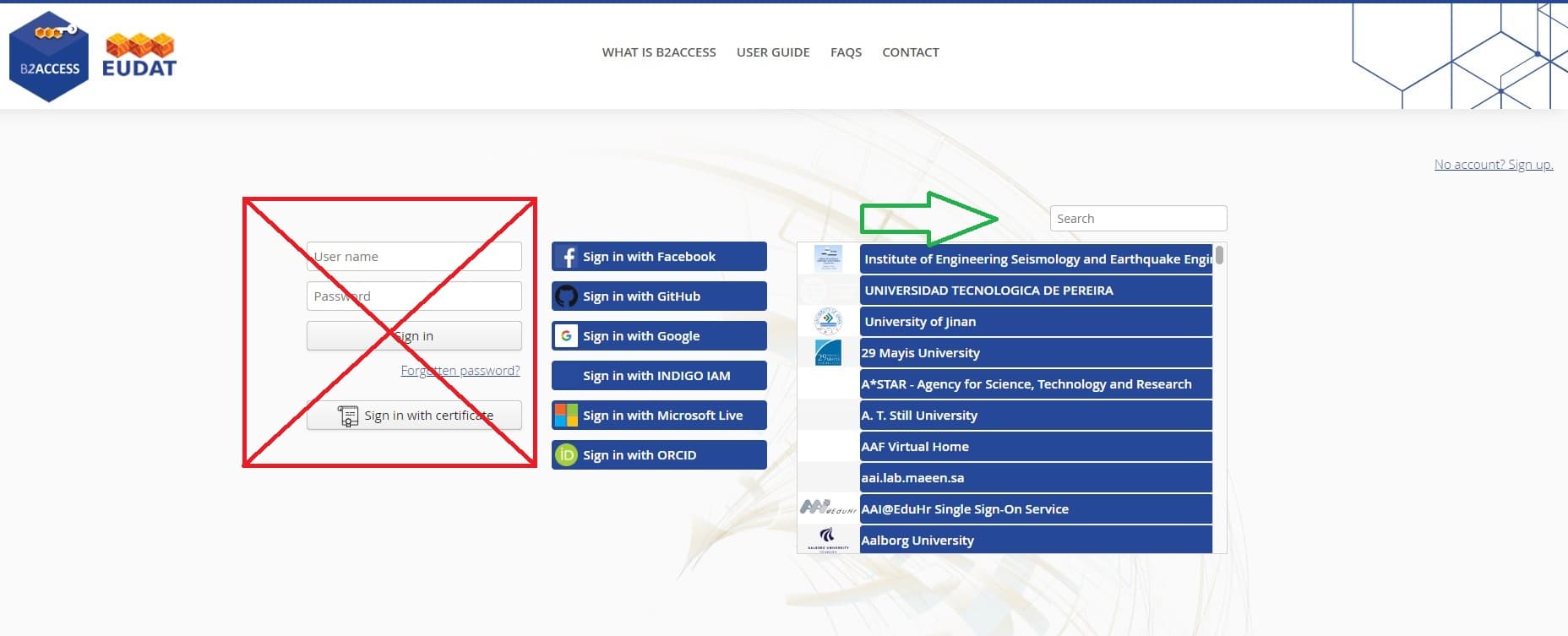
Sign to EUDAT/B2ACCESS:
-
If you aren’t affiliated with any university, try log in with Social account. If you aren’t able to sign in through an IDP, it might be a result of an internal policy of your employer.
-
If you don’t have, or refuse to use, any of the above-mentioned accounts, you can create an account in B2ACCESS.
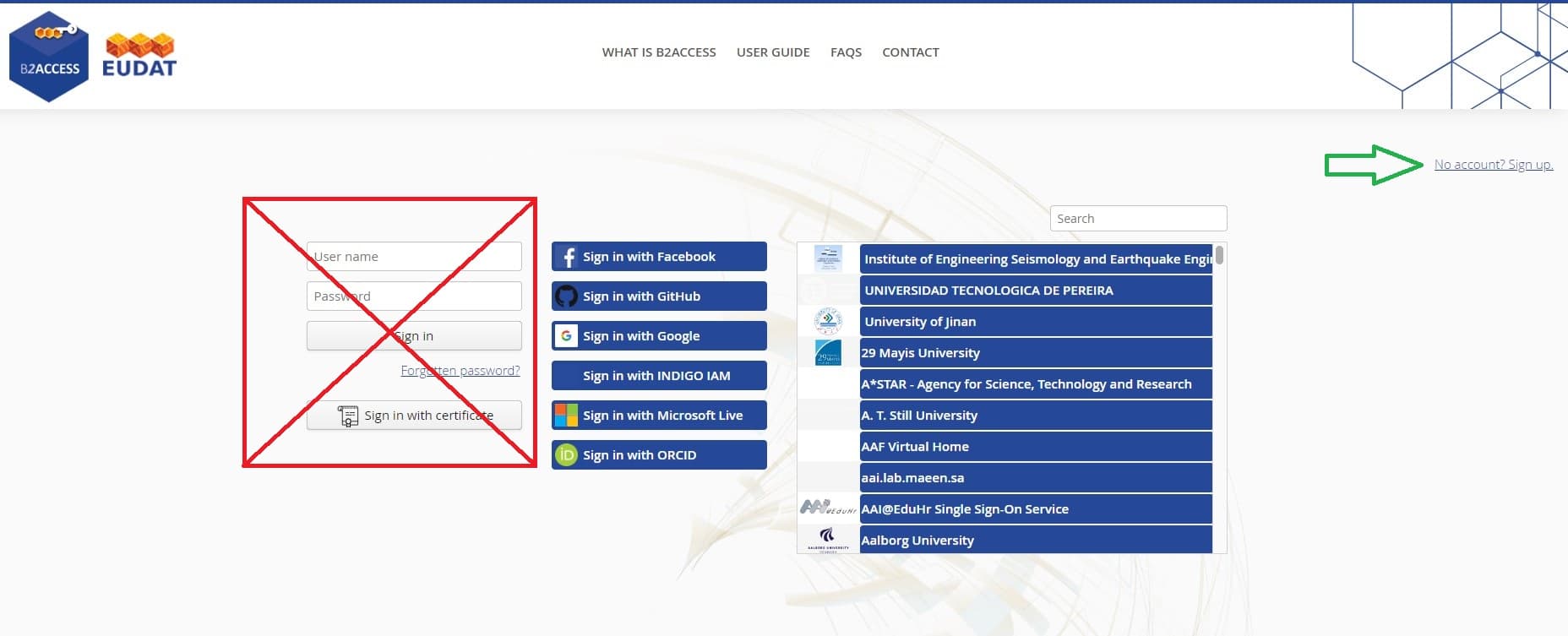
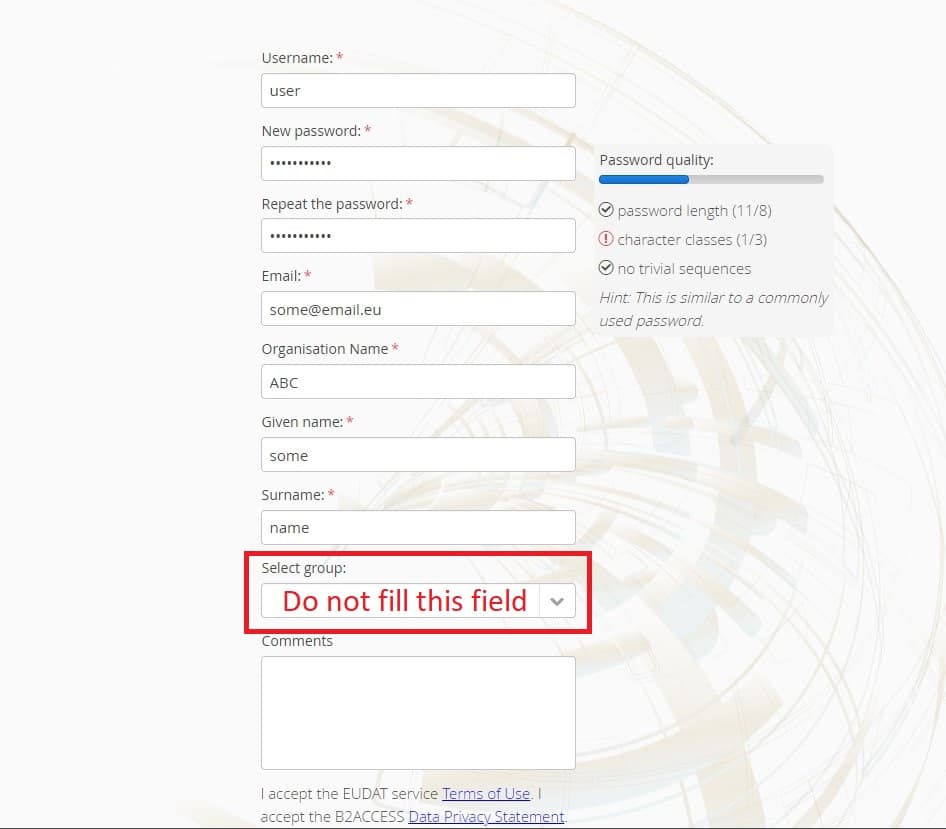
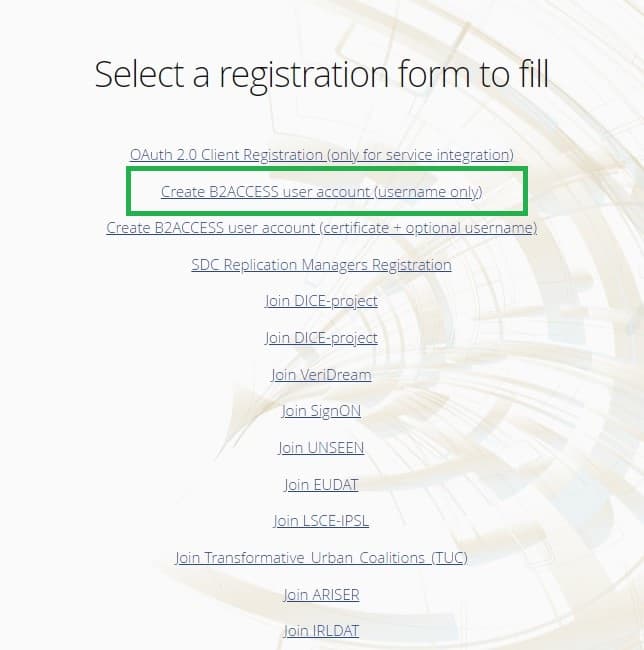
-
Reset Password
This short guide walks you through resetting your password and signing in to OpenCode.
-
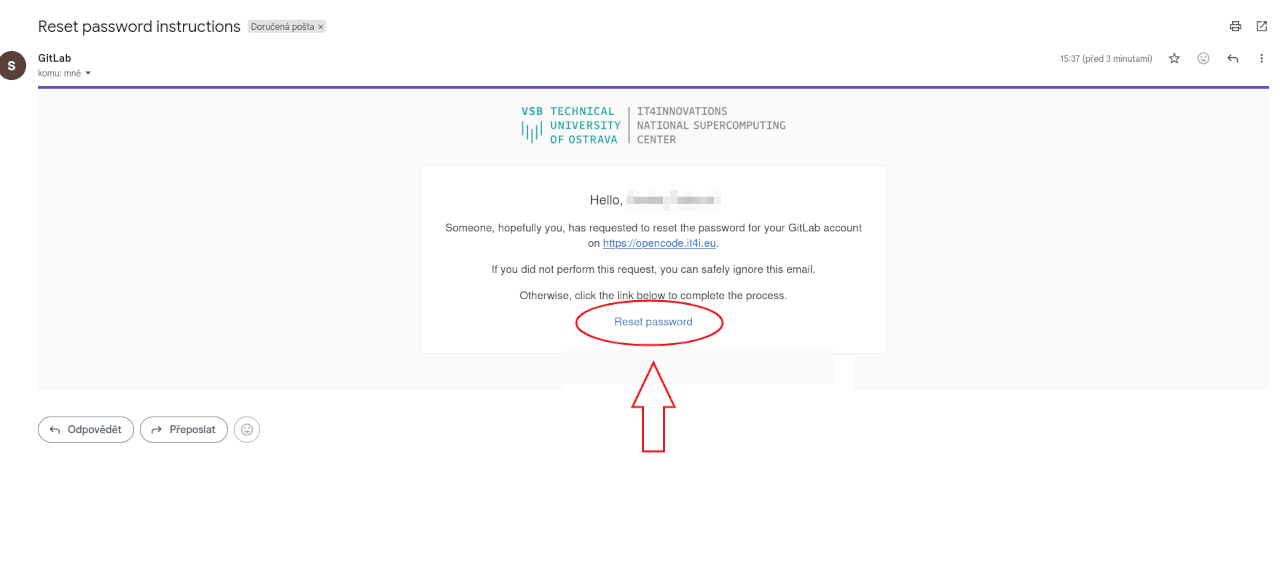
Open the reset e-mail and click “Reset password” Based on the request you submitted to support@it4i.cz, an account has been created for you and an invitation e-mail together with a password-reset e-mail have been sent to you. You will use this password to sign in to opencode.it4i.eu, so please do not ignore this e-mail. Open the Reset password instructions e-mail from GitLab and click the Reset password button.
-
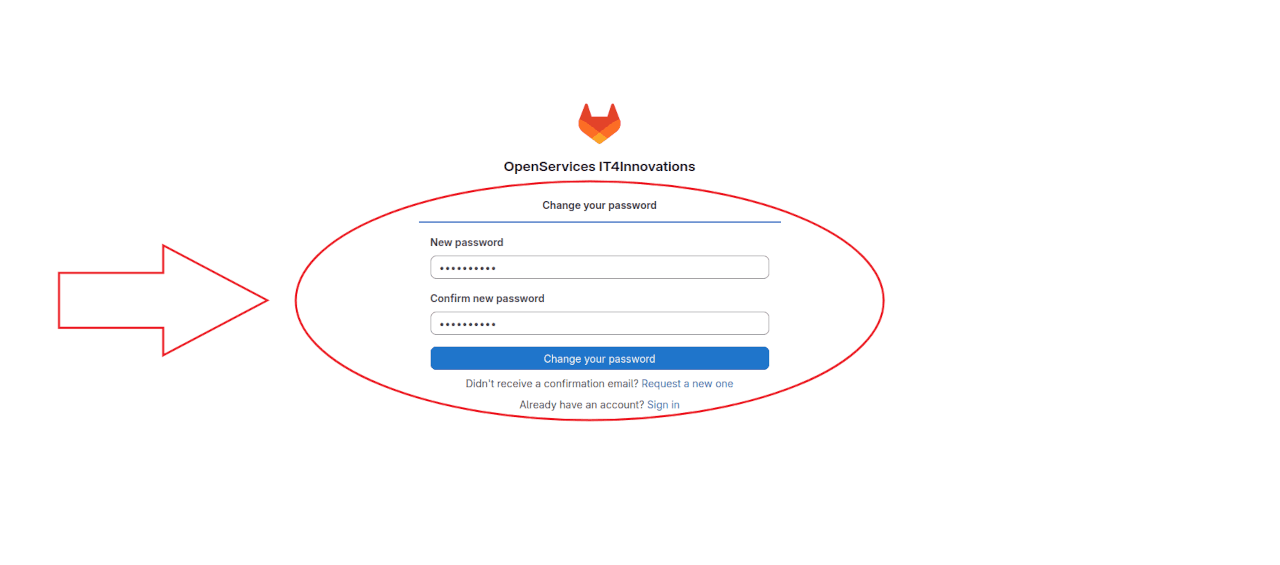
Set your new password On the Change your password page, type your new password into the New password and Confirm new password fields, and click Change your password.
-
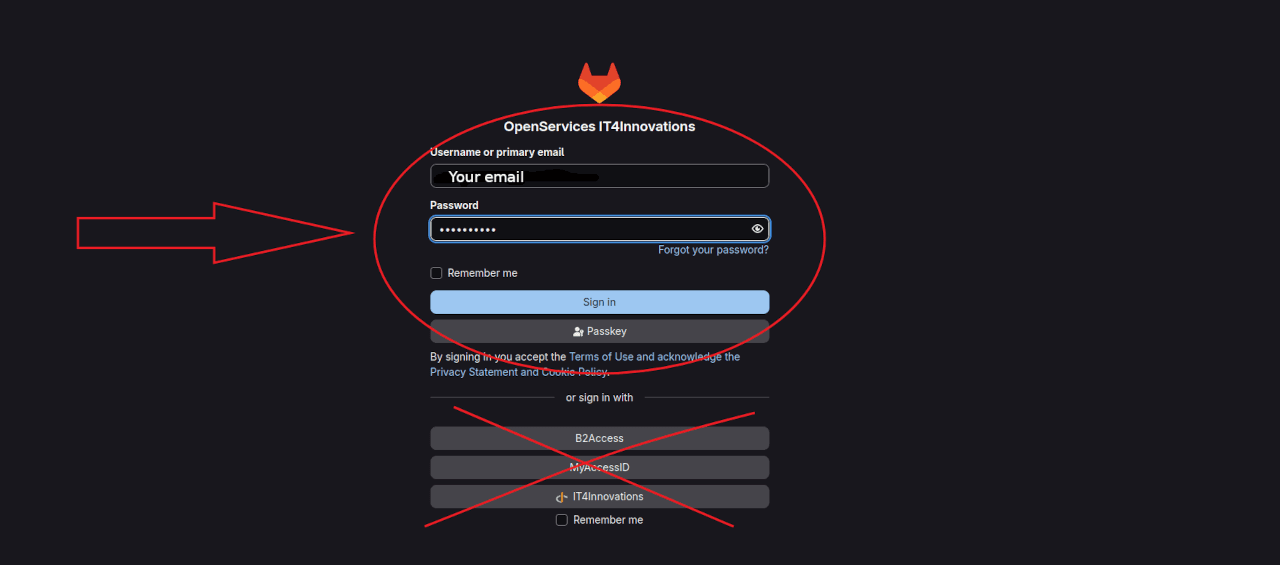
Sign in Open the OpenCode sign-in page. Enter your username or primary e-mail and the new password you just set, then click Sign in. Use the username and password fields only. Do not use the external login options (B2Access, MyAccessID, IT4Innovations), which are crossed out below.
-
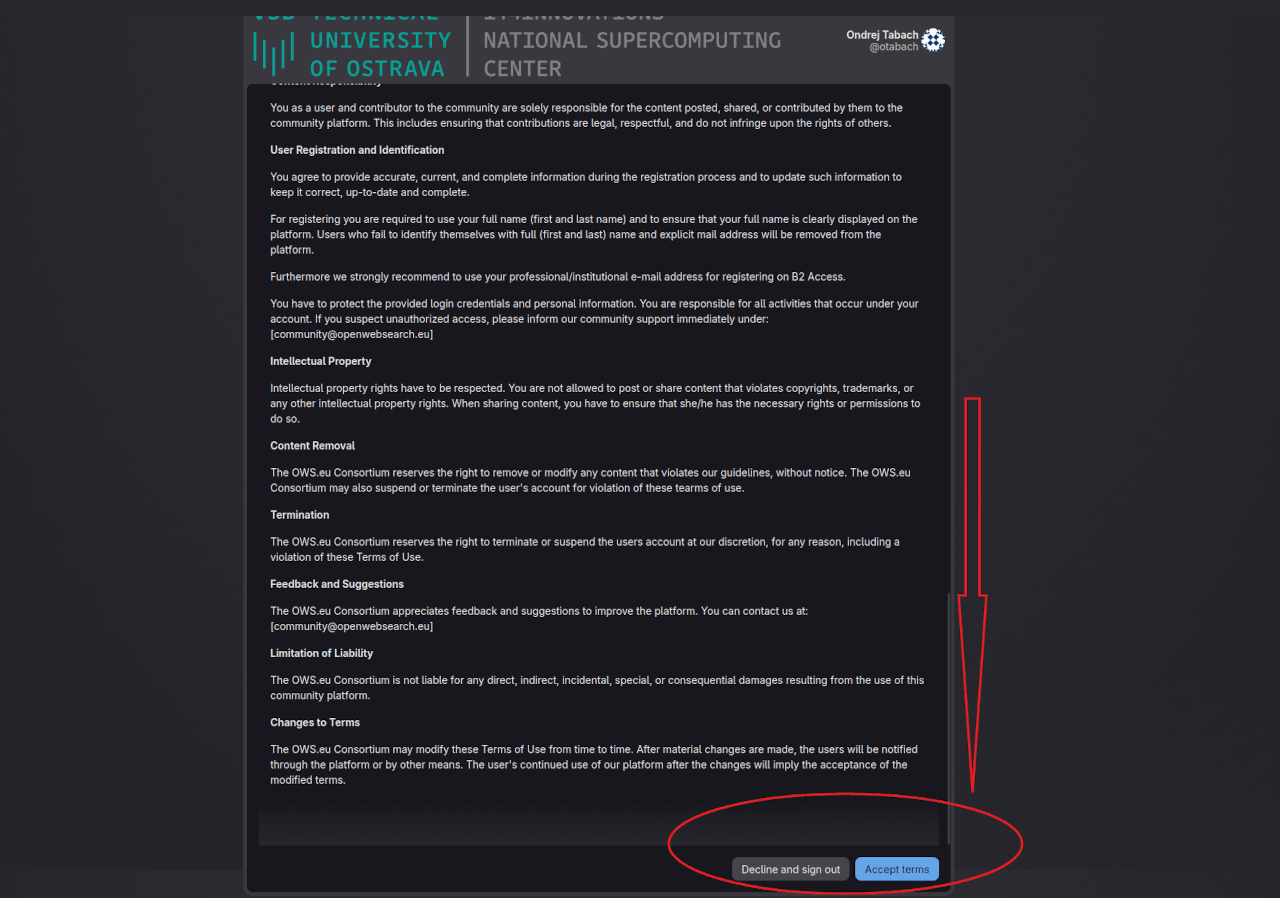
Read and accept the Terms of Use Read the Terms of Use (community guidelines), scroll all the way down to the bottom of the page, and click Accept terms to continue.